Since the beginning of our cooperation in 2005, the company has repeatedly confirmed its knowledge and professionalism in the solutions offered.
Ryszard Bedynek
Head of IT Department
Search in blog:
Furniture colour variants
In high-volume production, the same piece of furniture is often manufactured in different colour variants. Apart from decorations, panel properties are changed as they may originate from a different supplier. To avoid creating new models, bills of materials or drawings, WOODEXPERT is additionally provided with the function to create colour variants.
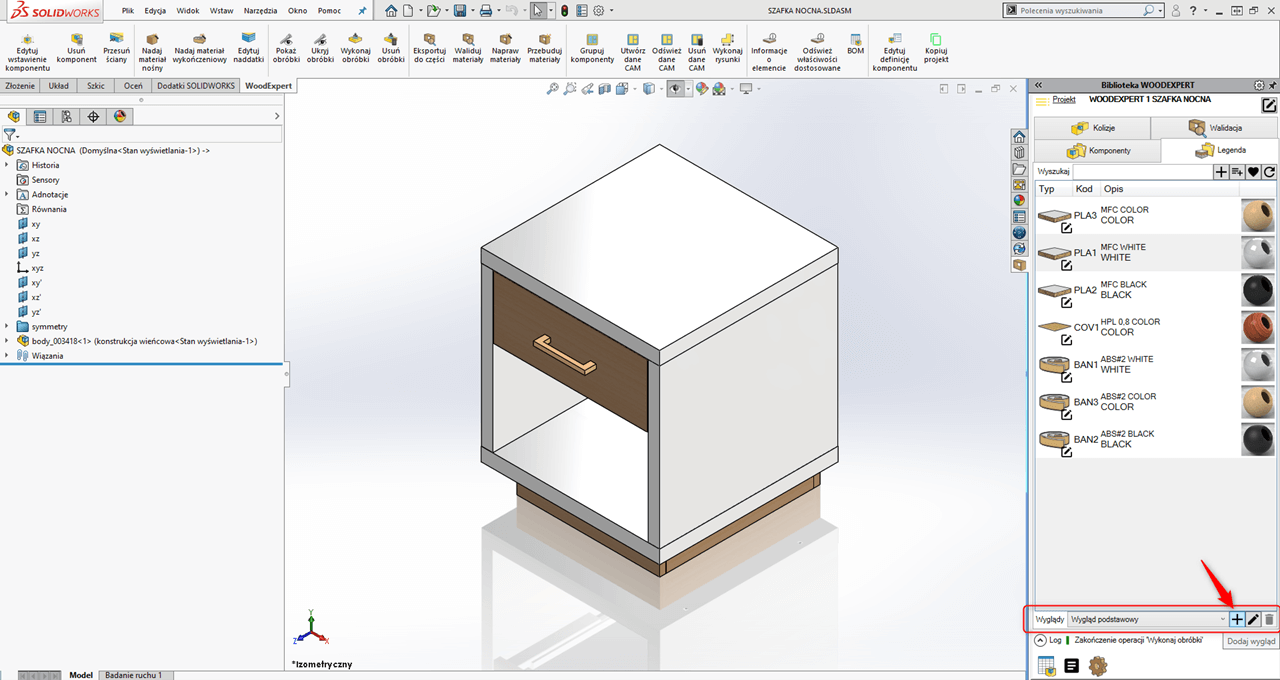
To create a new Look, just select the “Add look” button in the bottom section of the WOODEXPERT task bar. This look is automatically named, the user also gets the option to delete those created earlier.
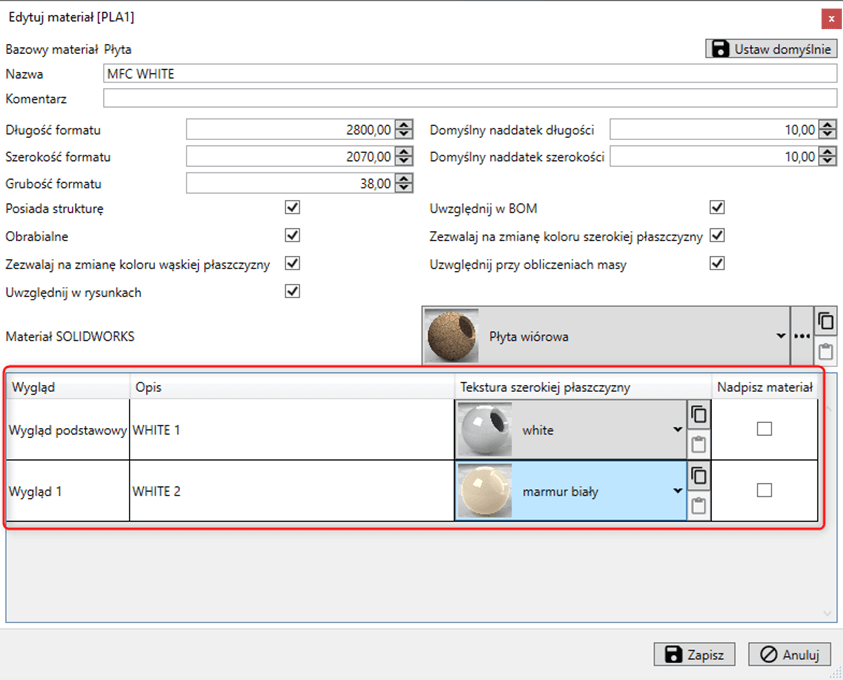
When a new look is created, you can freely configure the looks of all materials that have been created so far. To do this, go to editing existing materials and select the appropriate look for the color variants in question.
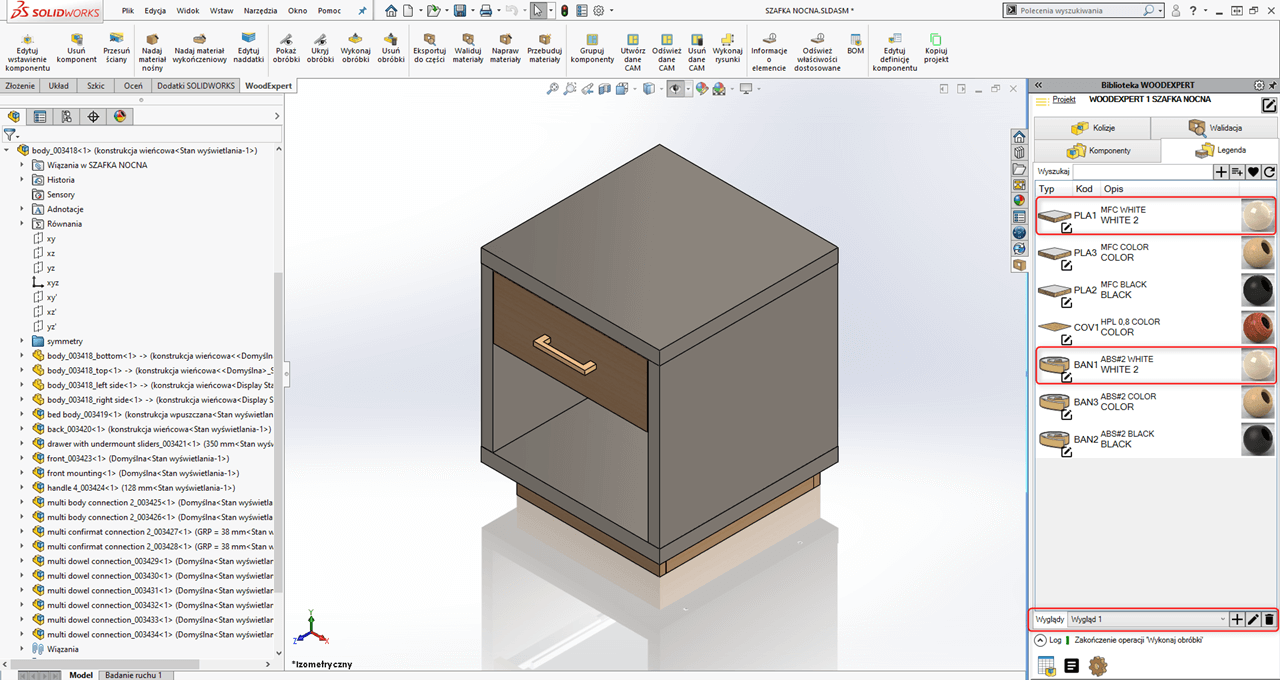
Thus, the designer is able to create for one piece of furniture several looks with specific properties, which are also reflected in the material lists. After defining the look of specific colour variants, you should repair the materials to refresh the look.
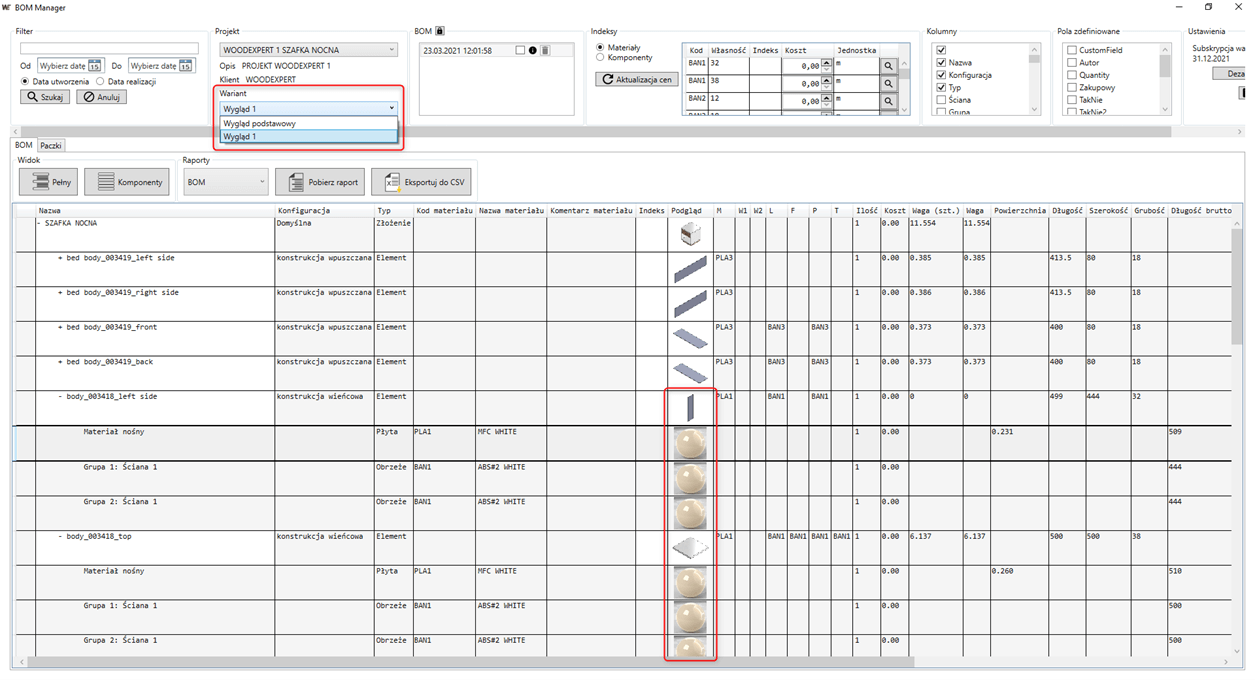
From the furniture made in this way, we will create a material list containing all the colour variants of the furniture. They can be assigned with separated indexes, prices and adjusted fields.
Thanks to a simple tool such as “Color looks”, the user is able to create in a few moves many variants of the furniture and material lists necessary for the production of a product. If you are interested in a 30-day free trial of the WOODEXPERT, please contact us using the form.
Author: Ewa Gaczorek, WOODEXPERT specialist

Share:
Related posts:
Recent posts

In today’s market, to stay afloat, one has to keep up to date with newest technologies. There’s nothing wrong with being an artisan with a plane in one hand and…

You can also generate a bill of materials for the entire project with a single click. Our extended and improved BOM module has many possibilities for data acquisition: reports, catalogs,…

The drawing generator is something our customers love. Drawings can also be automatically generated working from a developer's projection. Don't miss to see how to create in seconds...a finished PDF…

The third tutorial in this series shows how to give supporting and finishing materials to a model: in an unconventional way. The method of building a material legend and surface…

In this tutorial, we present a quick and optimal way to model in WOODEXPERT based on a 2D projection. It involves inserting parametric furniture from a ready-made library based on…