Since the beginning of our cooperation in 2005, the company has repeatedly confirmed its knowledge and professionalism in the solutions offered.
Ryszard Bedynek
Head of IT Department
Search in blog:
ASSIGNMENT OF ALLOWANCES WITH OPENGL PREVIEW
Processing allowances in the furniture industry differ in their characteristics and complexity from other industries – most CAD programs do not even provide for such a feature. In the article describing the material legends we have indicated a location where default allowances are defined for different material types. This article explains how the “Edit allowances” function works.
Standard processing allowances by default are assigned to the materials in the legend, but it is often necessary to change them for each element separately. In this case, you can use the “Edit allowances” function which not only allows you to edit, but also reassign them.
The Property Manager allows the user to change the default allowances of the support material on individual edges (Front, Back, Left, Right) and its general allowances. They are previewed thanks to OpenGL visualisation which has previously been implemented in such games as Age of Empires or Call of Duty.
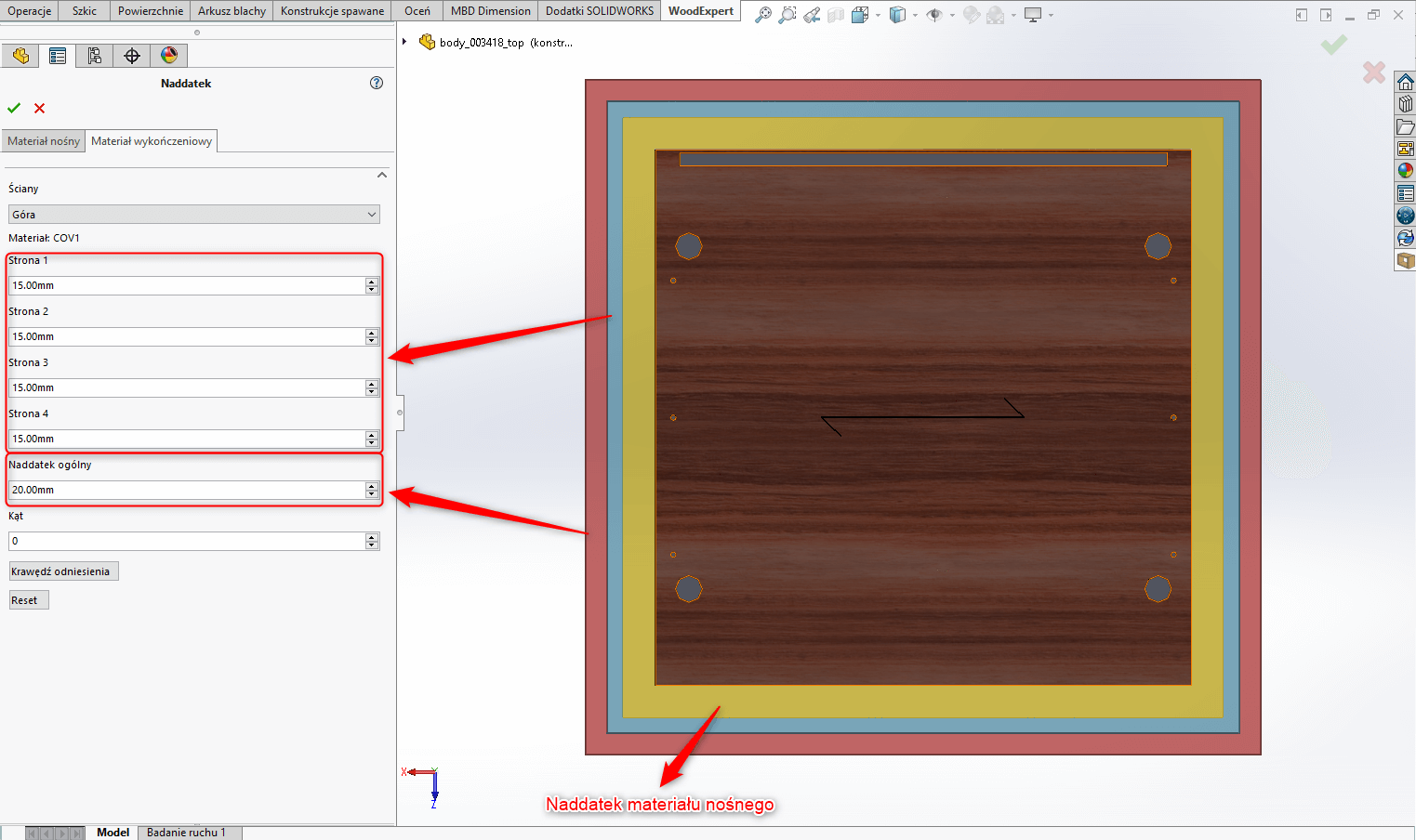
The WOODEXPERT user also has the ability to control the allowances of finishing materials, giving them either individually or collectively a general allowance.
An interesting option is also the possibility to control the angle of graining of the material which along with the allowances will appear in the drawings and in the bills of materials.
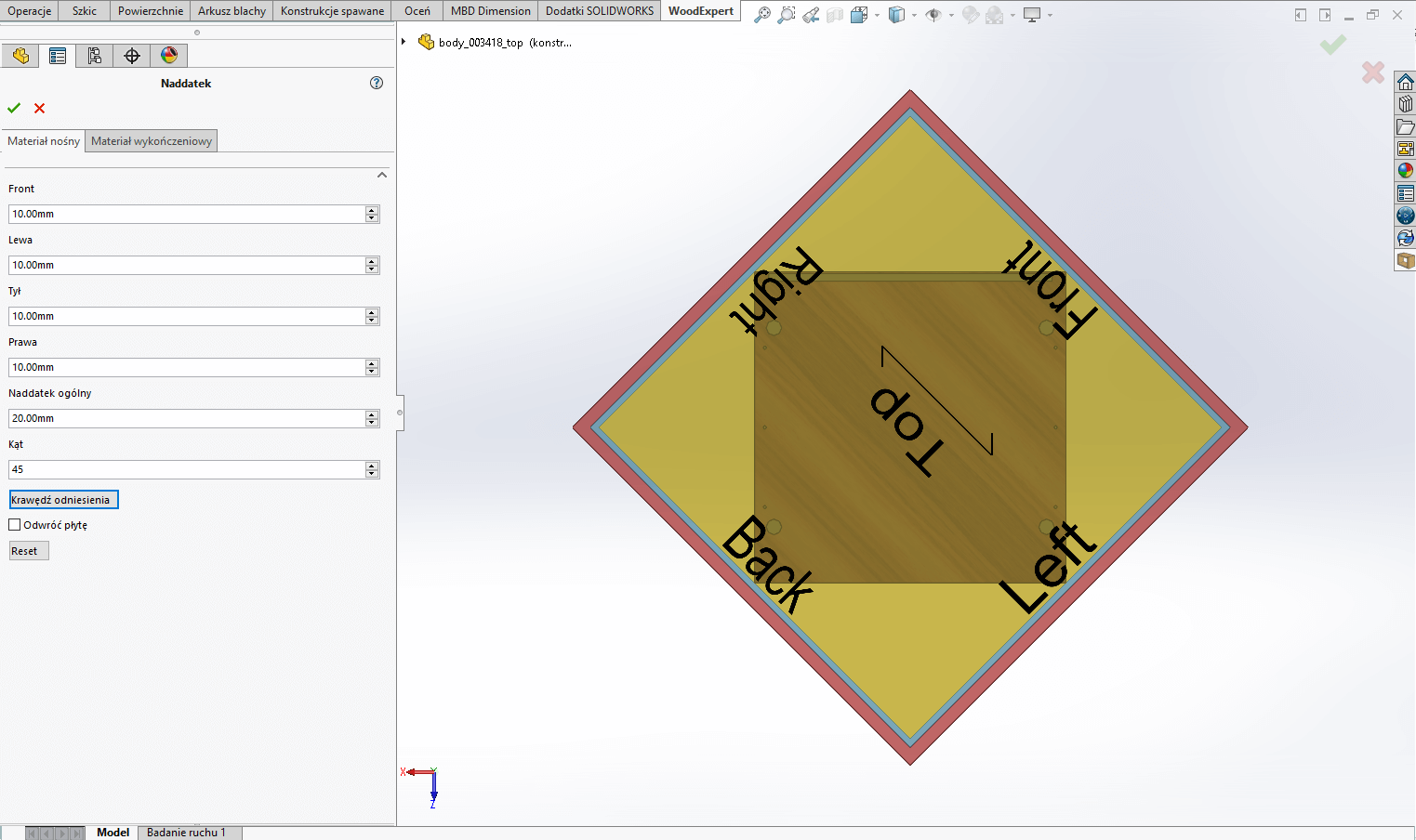
Please watch a video presenting how you can edit allowances in WOODEXPERT.
Marcin Jórasz, WOODEXPERT specialist
Recent posts

Discover the latest updates in WOODEXPERT 2026 and see how the new features can help you design faster, work more comfortably, and streamline pricing and reporting. Watch the recording of…

Designing custom furniture is a process that starts from scratch every time. The design, documentation, CNC files, furniture BOM, and cost estimation - all of these elements must be prepared…

In this article we will discuss generating technical drawings in our program. Like every program of its class, SOLIDWORKS features an advanced module for creating technical drawings. However, making them…

Nesting CNC’s are gaining popularity in woodworking business. Among their advantages we can list higher efficiency, simultaneous cutting and drilling & much better optimization for non-typical shapes. Of course, they…

Today, it is difficult to imagine furniture design without the use of CAD software. A common choice is popular engineering CAD software such as SOLIDWORKS. However, traditional CAD systems often…